How to write step-by-step guides people actually finish
Most how-to articles lose the reader somewhere in the middle. Seven habits that keep them going, with an example.
The HelpLayer team · October 5, 2026 · 3 min read
Start from the task, not the feature
People don't open the help center to learn about a feature. They open it in the middle of a task: sending an invoice, adding a teammate, exporting a report. Name the guide after that task, in their words.
"Invoice settings" describes a page. "Send your first invoice" describes what they want to do.
Start the title with a verb: send, add, change, export, cancel.
One task per guide. If the title needs an "and", it's probably two guides.
A help center that keeps itself up to date
Connect GitHub and HelpLayer tells you which articles a change breaks, and drafts the fix.
One or two lines at the top save a lot of abandoned guides: what this does, and what they need first. "You need an admin account" or "Add the customer first" belongs above step one, not as a surprise in step five.
One action per step
A step is one thing to do: click, type, choose. "Open Settings, go to Billing, click Change plan and pick a plan" is four steps pretending to be one, and the reader loses their place in the middle of it.
Write each step as an instruction, with the words they'll see on screen in bold:
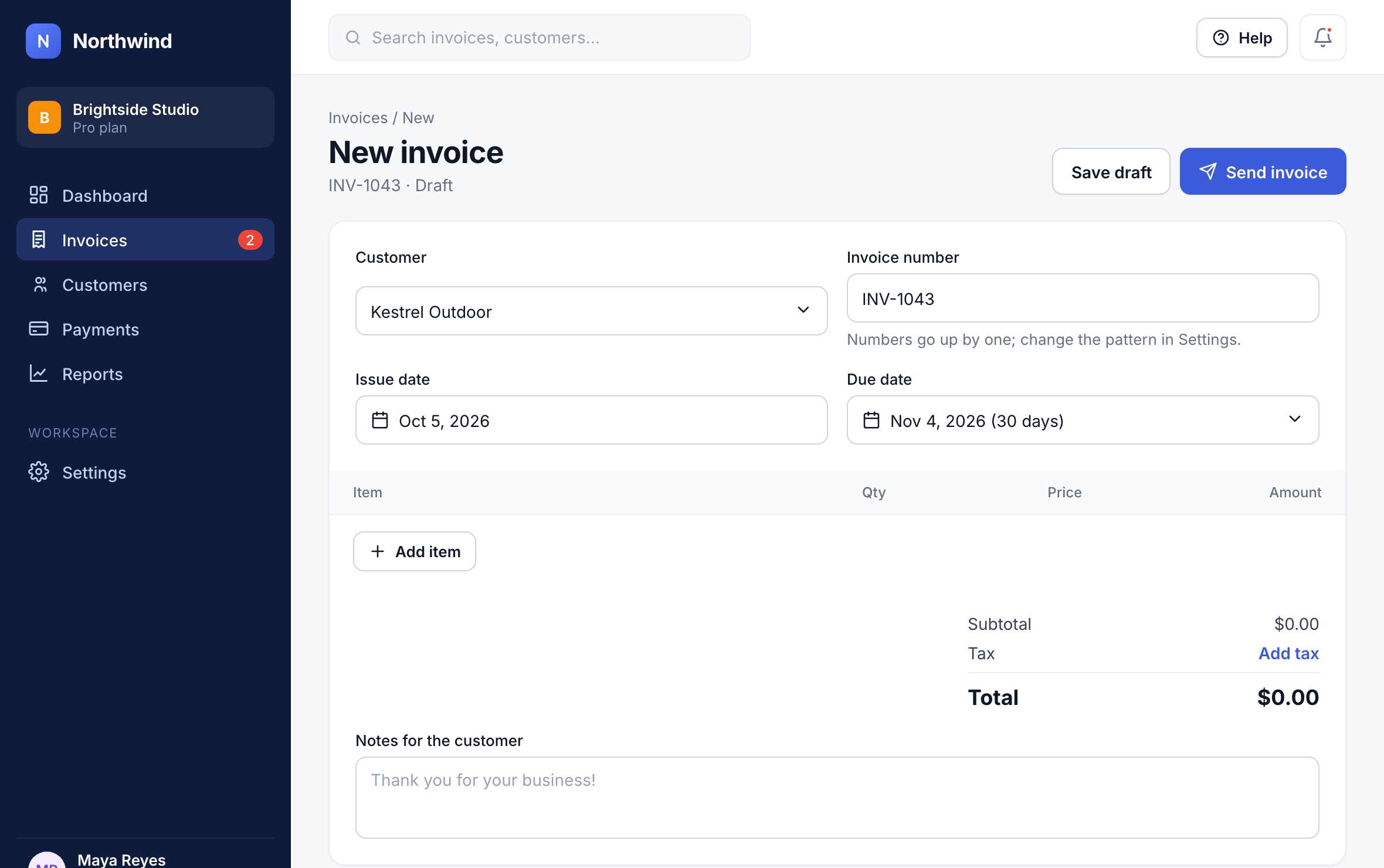
Click New invoice.
Choose the customer.
Click Add item and enter what you're billing for.
Click Send invoice.
Show where to click
A screenshot answers "where is it?" faster than any sentence. Add one to each step where the reader has to find something, crop it to the part of the screen that matters, and mark the button.
Skip screenshots for steps that need no finding, like "type the amount". They make the guide longer without helping.
Say what happens next
After the steps that change something, tell them what they'll see: "The invoice moves to Sent, and the customer gets an email with a link to pay." It confirms they did it right, and it answers the next question before it becomes a ticket.
End the guide with where to go next: the task people usually do after this one, or what to do if something didn't work.
Cut everything else
Every sentence that isn't an instruction is a chance to lose the reader. Move background, history and edge cases out of the steps: into a short note at the end, or into their own article. Read the guide aloud. If a sentence doesn't help someone do the task, delete it.
Capture it instead of writing it
The fastest way to write a guide is to do the task once and let the steps write themselves. Capture tools take a screenshot on every click and turn each one into a step, so you edit a draft instead of starting from a blank page.
HelpLayer's Chrome extension and desktop app work this way: click through the task, and AI writes each step from what you clicked, with the screenshot and the click marked. You check it, and it becomes an article, with a narrated video and a click-through demo made from the same steps.
Before you publish
The title is the task, and starts with a verb
What they need is at the top
Each step is one action, with the button's name in bold
There's a screenshot wherever they have to find something
It says what happens after the steps that change something
Someone who has never done the task followed it without help
Get the next one
One useful email a month. Unsubscribe in one click.
 HelpLayer