
Send an invoice by email
Email an invoice with a link to pay online, and a PDF if you like.
Sending an invoice emails your customer a link where they can see it and pay by card or bank transfer.
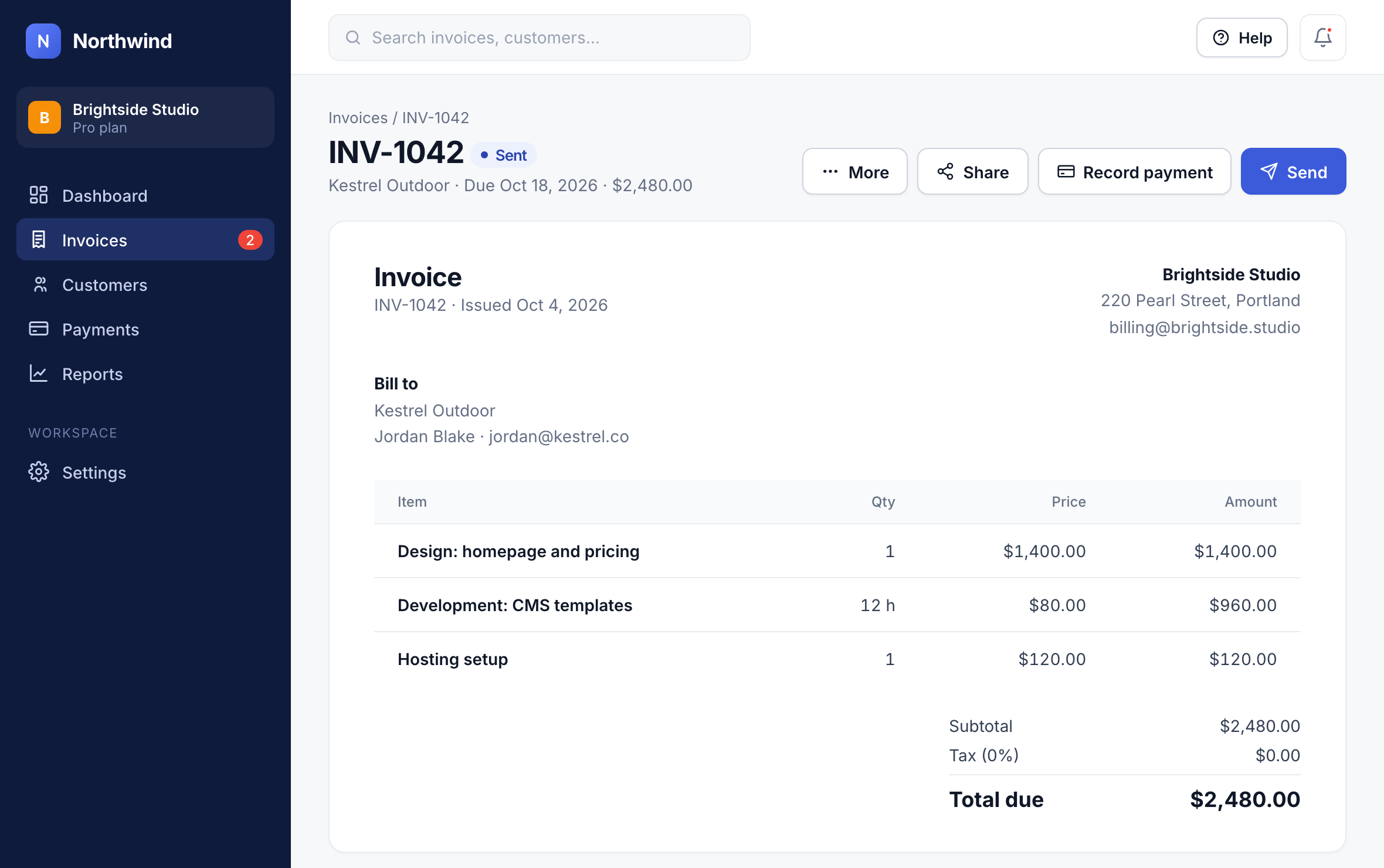
Step 1: Open the invoice
Go to Invoices, open the invoice, and click Send.
1
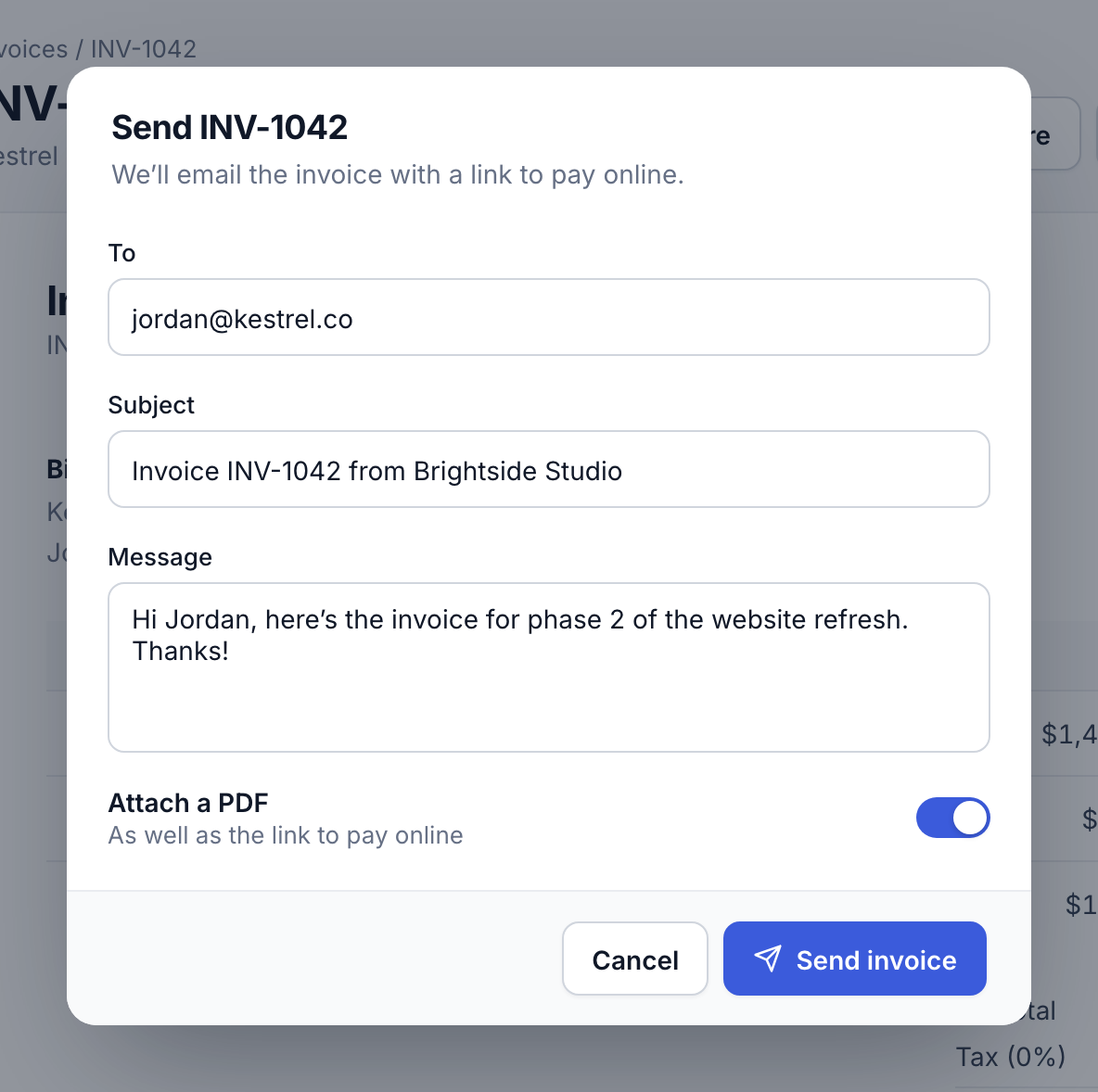
Step 2: Check the email and send
Northwind fills in the address, subject and a message. Turn on Attach a PDF if your customer needs one for their records, then click Send invoice.
2
After you send it
The invoice moves to Sent, and its Activity shows when the customer opens it. When they pay, it moves to Paid and you get an email.
Tip: Set up automatic reminders so you never have to chase a late payment yourself. See Automatic payment reminders.
Did this answer your question?