
Share an invoice or download a PDF
Copy a payment link to send yourself, or download the invoice as a PDF.
Sometimes you want to send an invoice your own way: in a chat, a portal, or attached to your own email.
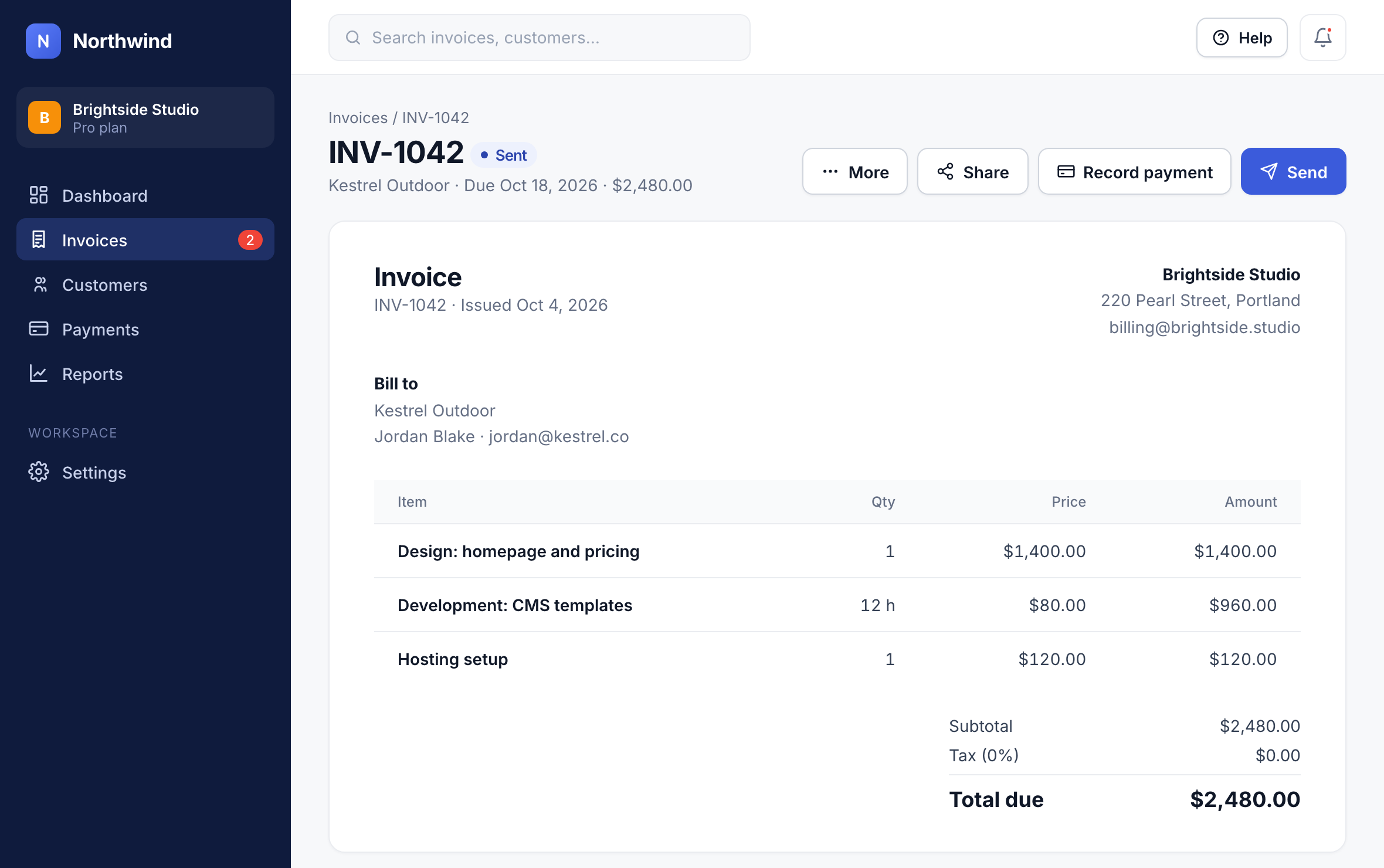
Step 1: Open the Share menu
On the invoice, click Share.
1
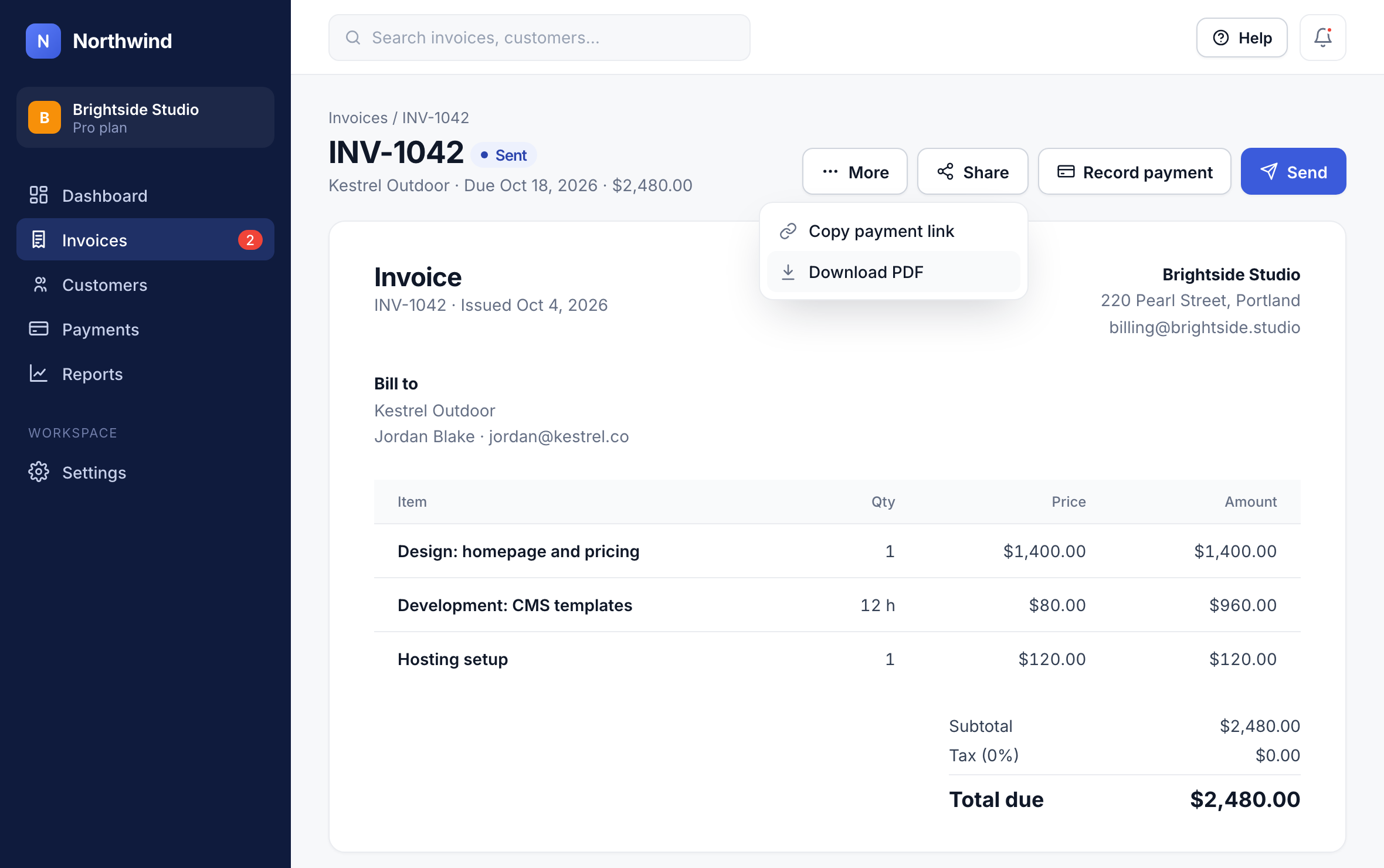
Step 2: Download a PDF
Choose Download PDF for a printable copy with your logo and payment details.
2
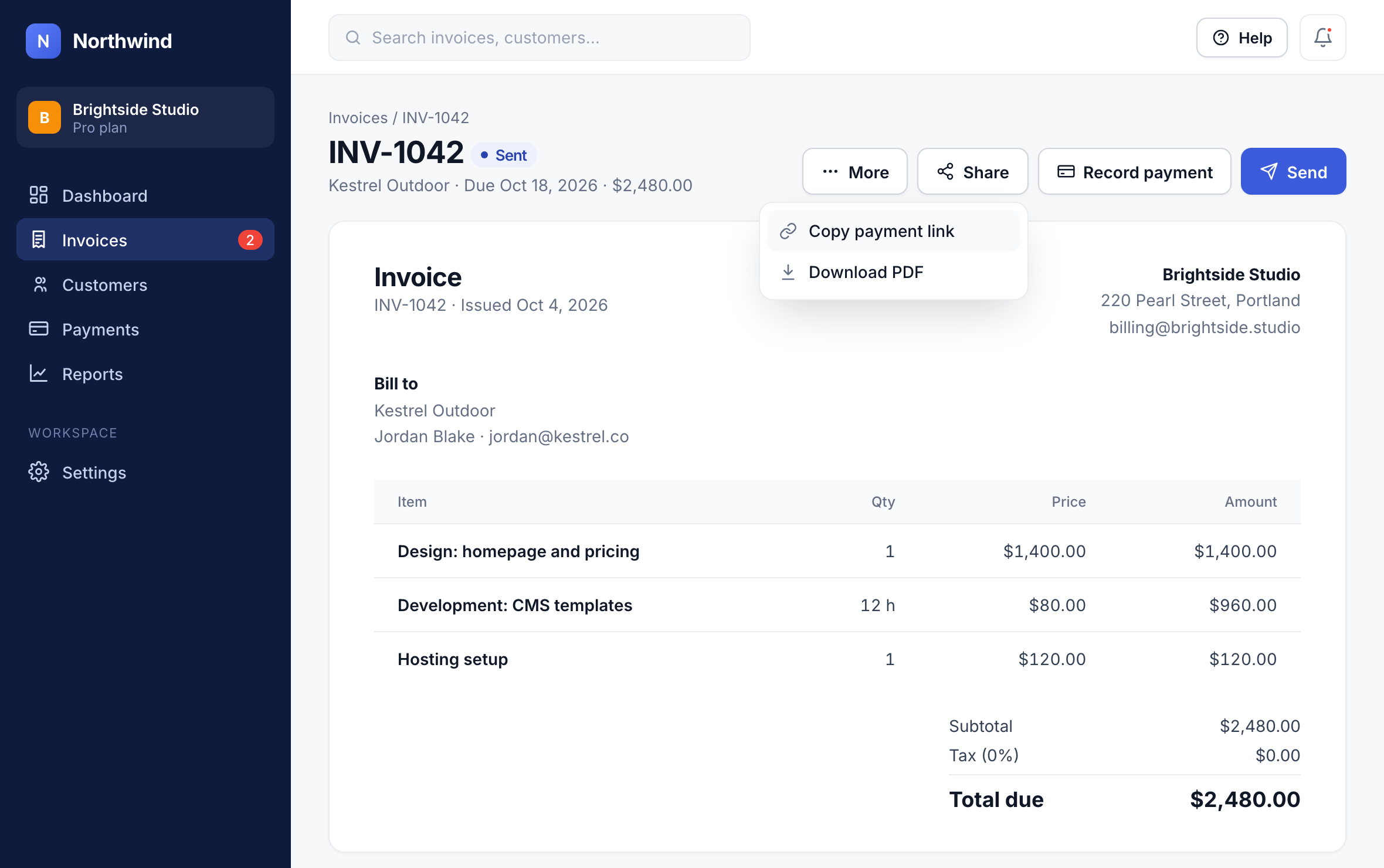
Step 3: Or copy the payment link
Choose Copy payment link and paste it wherever you like. Anyone with the link can view and pay the invoice.
3
Did this answer your question?