
Create a credit note
Reduce or cancel what a customer owes after an invoice has been sent.
A credit note corrects a sent invoice: a discount after the fact, a returned item, or a mistake in the price. The original invoice stays in your records.
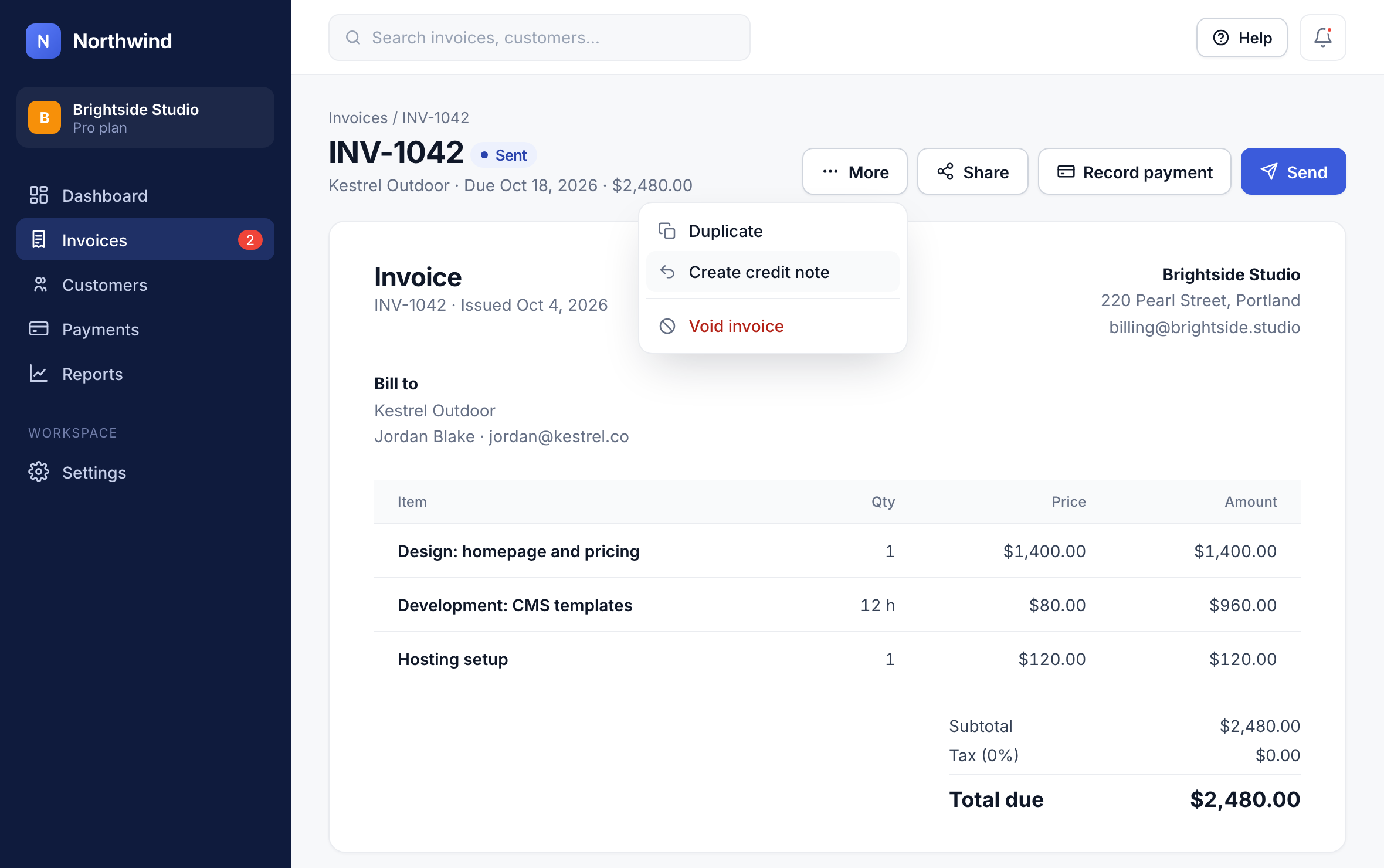
Open the invoice’s More menu
On the invoice, click More and choose Create credit note.
1
Enter the amount to credit, or pick the items to credit, and add a reason. Northwind sends the credit note to the customer and lowers what they owe.
Good to know: If the invoice was already paid, the credit becomes a balance for the customer’s next invoice, or you can refund it.
Did this answer your question?