
Set up your company profile
Add your logo, address and tax ID so they appear on every invoice.
Your company profile is what customers see at the top of every invoice and email.
Step 1: Open Settings
Click Settings in the main menu.
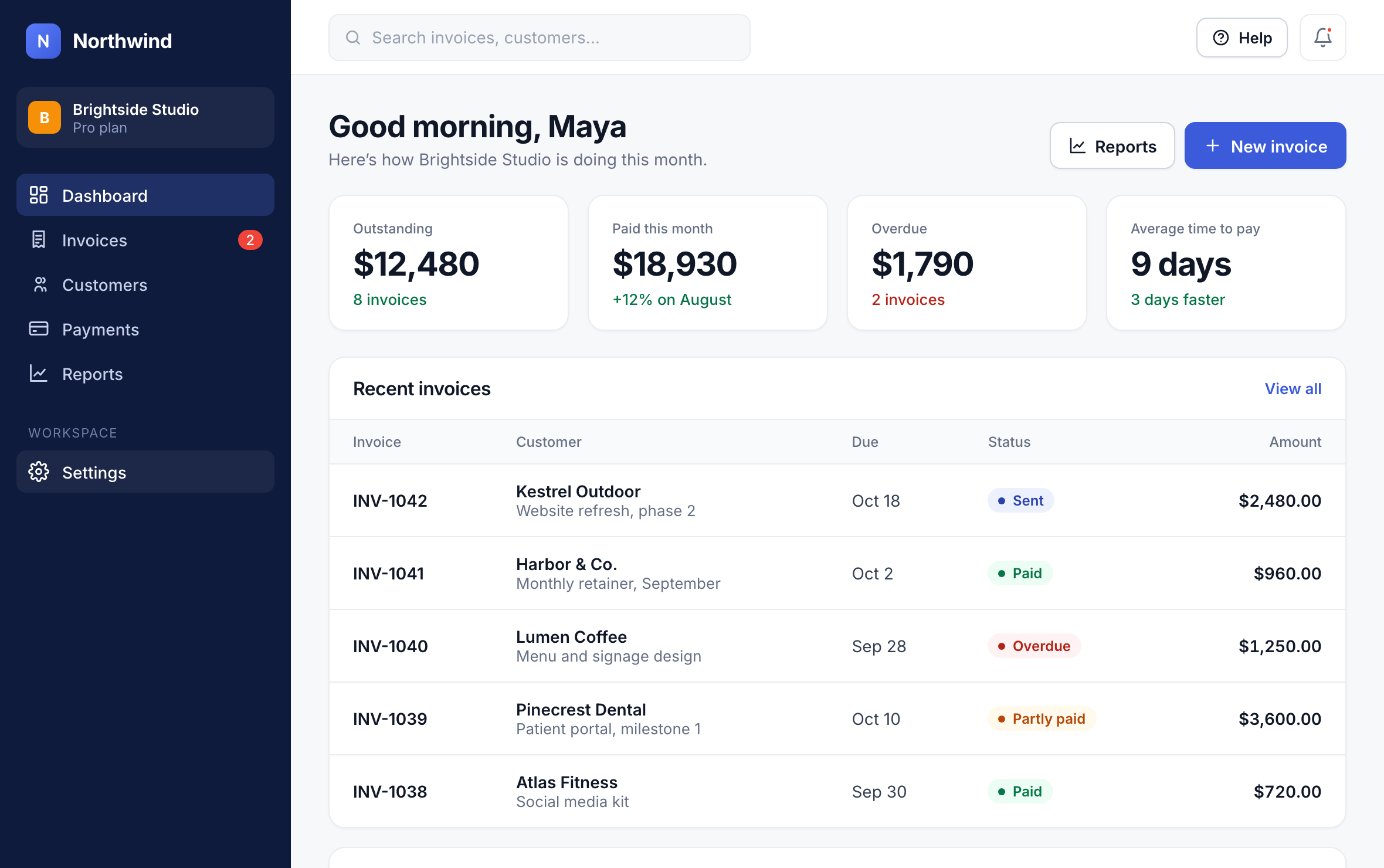
1
Step 2: Upload your logo
Under Company profile, click Upload logo and choose a PNG or SVG at least 400 px wide.
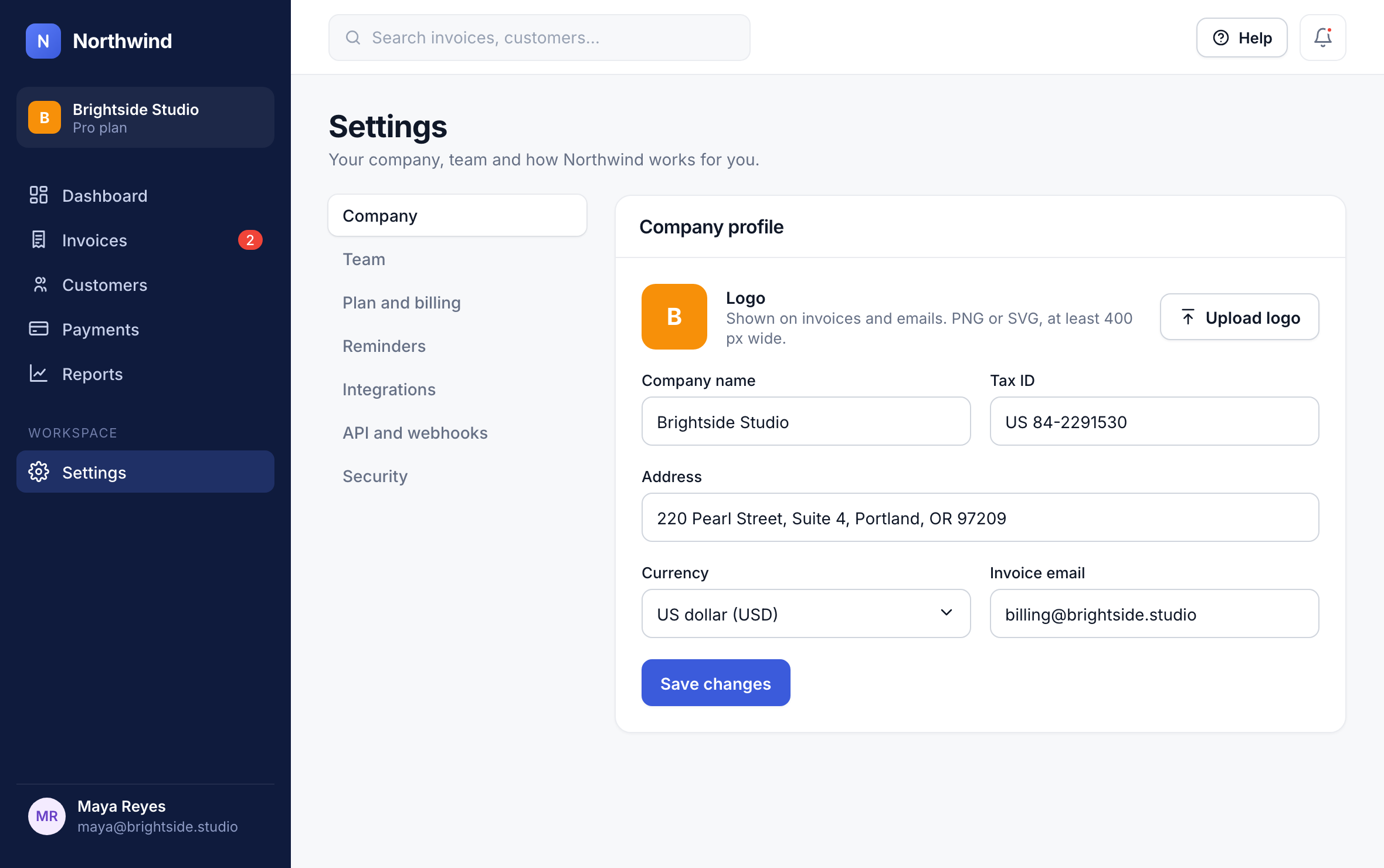
2
Step 3: Save your details
Fill in your company name, address, tax ID and currency, then click Save changes.
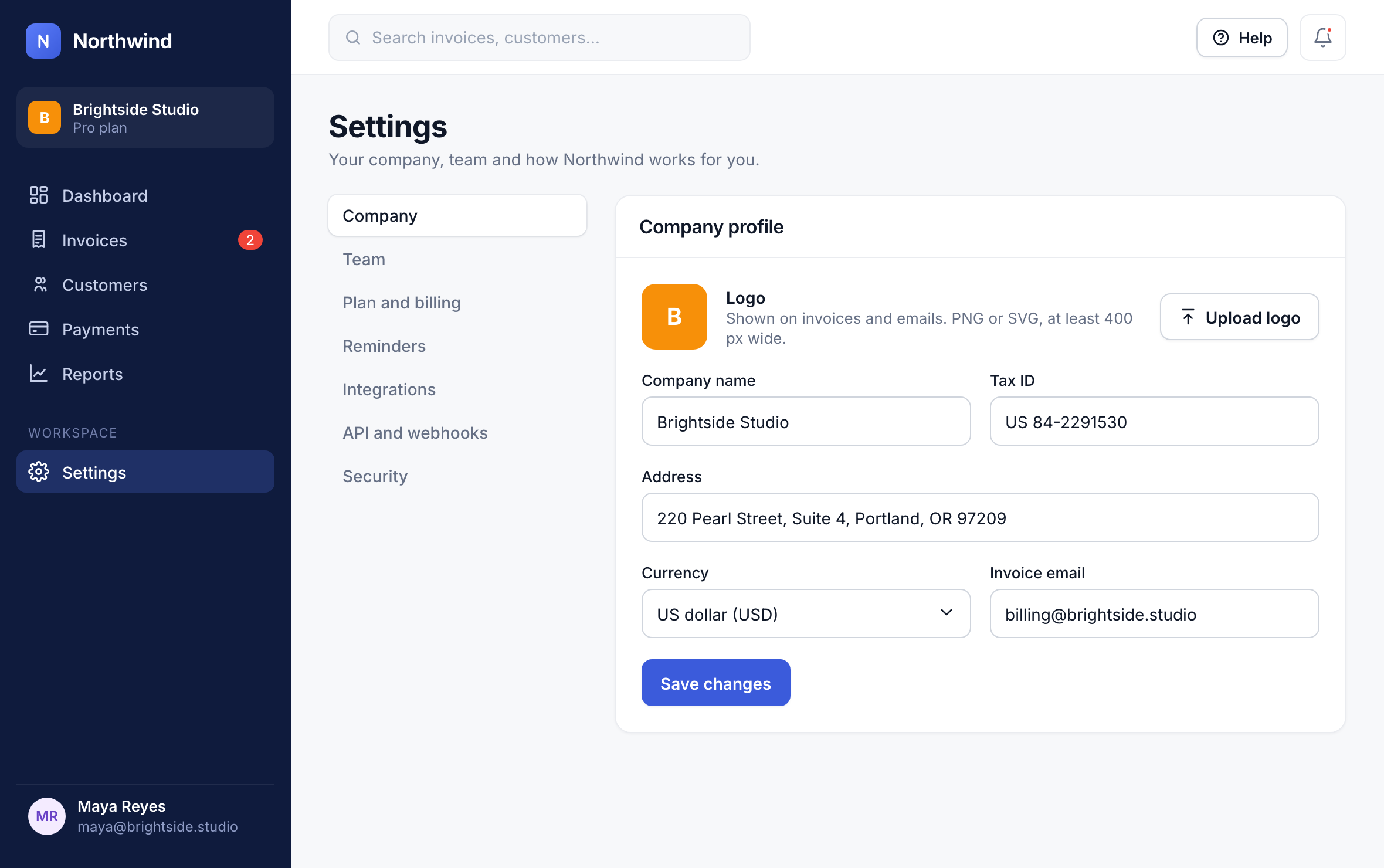
3
Good to know: The currency you choose here is the default for new invoices. You can still bill a customer in another currency.
Did this answer your question?