
Welcome to Northwind
A quick tour: where your invoices, customers and payments live.
Northwind is where you create invoices, send them, and get paid, without chasing anyone. This tour shows where everything is.
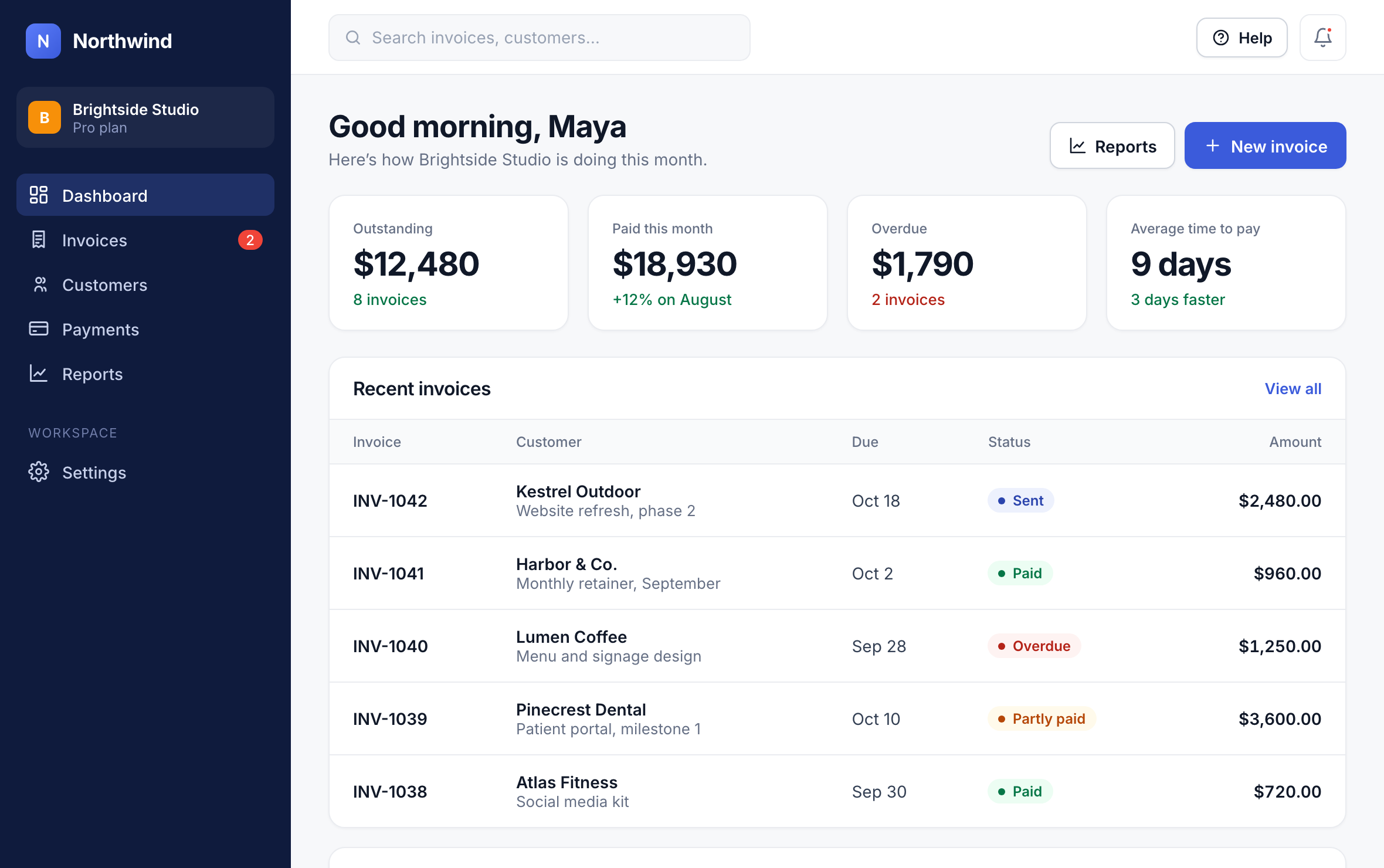
Your dashboard
The Dashboard shows what’s outstanding, what’s been paid this month and what’s overdue. Recent invoices lists the last five, and Cash flow shows the money coming in over the last six months.
The main menu
Invoices: everything you’ve billed, with drafts, sent, overdue and paid invoices on separate tabs.
Customers: the people and companies you bill.
Payments: money in, refunds and payouts to your bank.
Reports: revenue and how fast customers pay.
Settings: your company, team, plan, reminders and integrations.
Where to start
Add your logo and company details (see Set up your company profile).
Import your customers, or add them as you go.
Send your first invoice.
Tip: Press Help in the top bar at any time to search this help center or ask a question.
Did this answer your question?